The Short Answer
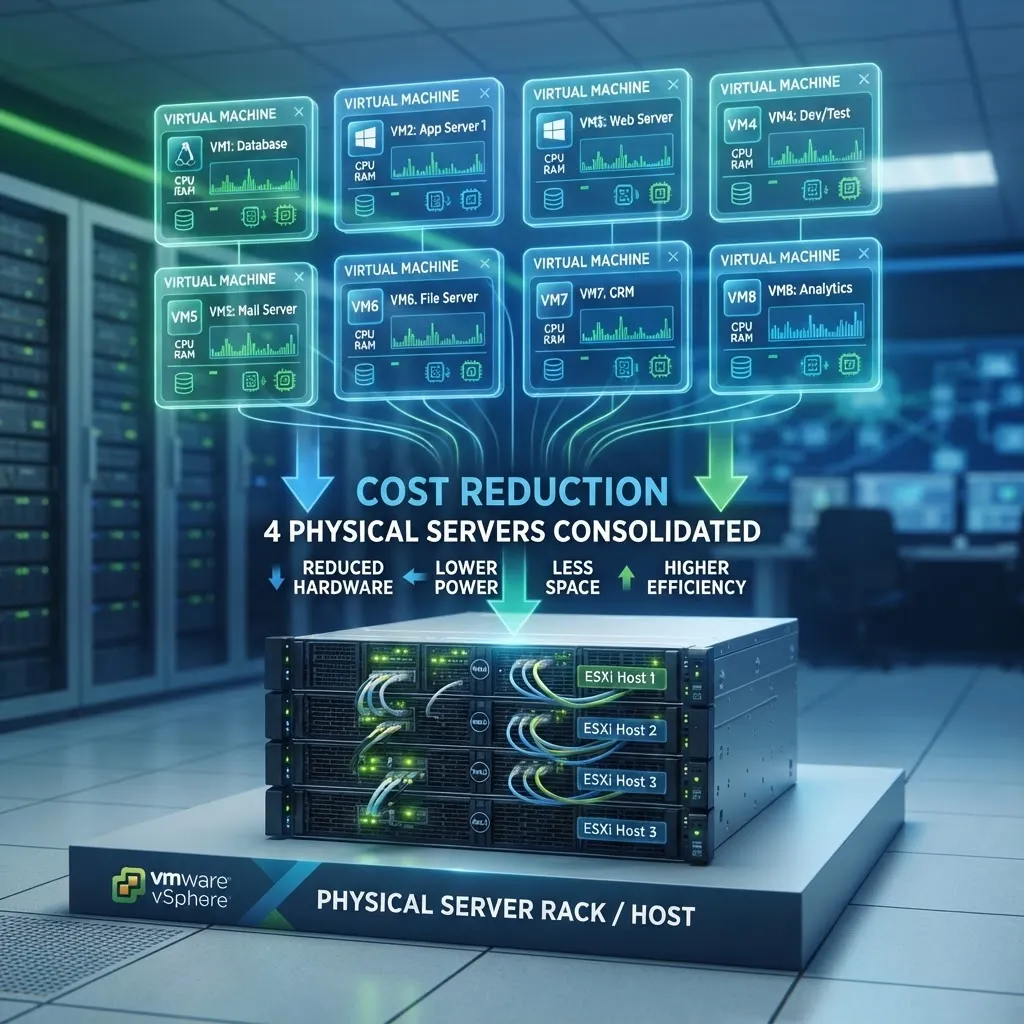
VMware virtualization allows businesses to run multiple virtual servers on a single physical server, reducing hardware costs by 40–70%, cutting energy consumption by up to 80%, and simplifying disaster recovery. For a UK SME running five or more physical servers, VMware typically delivers a return on investment within 12–18 months. The three biggest cost savings come from server consolidation (fewer physical machines to buy and maintain), reduced power and cooling (fewer servers mean lower energy bills), and simplified backup and recovery (virtual machines can be backed up and restored in minutes, not hours).
VMware is the industry standard for server virtualization. It allows you to run multiple virtual machines (VMs) on a single physical server, each with its own operating system and applications. For UK SMEs, VMware is one of the highest-ROI technology investments available — it reduces hardware costs, simplifies management, and makes disaster recovery dramatically faster.
What Is VMware Virtualization?
Virtualization separates the physical hardware from the operating system. Instead of running one operating system on one physical server, VMware's hypervisor (ESXi) allows you to run many virtual servers on the same physical hardware. Each virtual machine behaves like a separate physical server but shares the underlying CPU, memory, and storage.
The core VMware products for SMEs:
- vSphere (ESXi) — The hypervisor that runs directly on physical hardware.
- vCenter Server — Centralised management for multiple ESXi hosts.
- vMotion — Live migration of VMs between physical servers with zero downtime.
- vSAN — Software-defined storage that pools local storage across hosts.
How VMware Cuts Infrastructure Costs
1. Server Consolidolation: 40–70% Hardware Savings
The most immediate saving from VMware is server consolidation. Most physical servers run at 10–15% CPU utilisation — the rest is wasted capacity. With virtualization, you can run 10–15 virtual servers on a single physical host, utilising 70–80% of the hardware capacity.
Example: A business running 8 physical servers (each costing £3,000–£5,000) can consolidate to 2 physical hosts running VMware, saving £18,000–£30,000 in hardware costs alone.
2. Power and Cooling: Up to 80% Reduction
Every physical server consumes 300–600 watts of power and generates equivalent heat that must be cooled. For a business running 8 servers, that is 2,400–4,800 watts continuously — costing £2,500–£5,000 per year in electricity alone.
Consolidating to 2 physical hosts reduces power consumption by 75%, saving £1,800–£3,750 per year. In a dedicated server room, cooling costs drop proportionally.
3. Simplified Disaster Recovery
Physical server recovery takes hours or days — you need compatible hardware, operating system installation, application installation, and data restoration. Virtual machine recovery takes minutes.
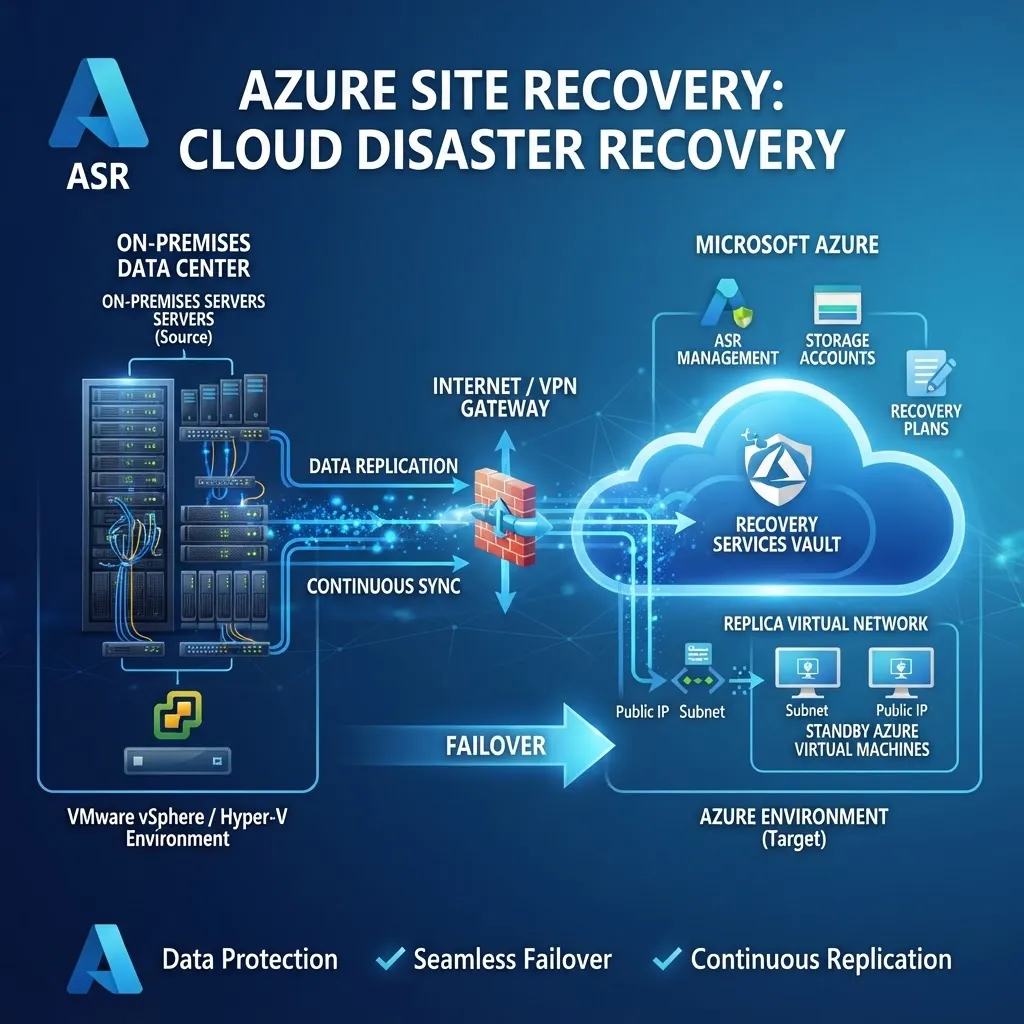
Why: A VM is a set of files that can be backed up, replicated, and restored to any compatible hardware. VMware's Site Recovery Manager can automatically fail over to a secondary site in minutes, with no concern about hardware differences.
4. Reduced Maintenance and Support Costs
Fewer physical servers means fewer hardware failures, fewer warranty renewals, and less time spent on physical maintenance. A consolidated VMware environment typically reduces hardware-related support tickets by 60–70%.
5. Faster Provisioning
Creating a new virtual machine takes minutes — clone a template, configure the settings, and power on. Provisioning a new physical server takes days or weeks — order hardware, wait for delivery, rack and cable, install the operating system, and configure applications.
VMware vs Hyper-V vs Cloud: Which Is Right for You?
| Factor | VMware vSphere | Microsoft Hyper-V | Azure Cloud | |--------|---------------|-------------------|-------------| | Best for | SMEs with 3+ servers | Microsoft-centric shops | Variable workloads | | Upfront cost | £5,000–£15,000 | Lower (included in Windows) | £0 (pay monthly) | | Ongoing cost | Licensing + hardware | Hardware only | Monthly usage | | Performance | Excellent | Good | Variable | | Management | vCenter (excellent) | SCVMM / Windows Admin Center | Azure Portal | | Migration flexibility | High (vMotion) | Good (Live Migration) | Cloud lock-in risk |
For most UK SMEs with on-premises infrastructure, VMware offers the best balance of performance, reliability, and management features. Businesses already deeply invested in Microsoft may prefer Hyper-V, while those wanting to eliminate hardware entirely should consider Azure.
How to Plan a VMware Implementation
- Assess your current environment — Document all physical servers, their workloads, CPU/memory usage, and storage requirements. This determines how many physical hosts you need.
- Right-size the new hardware — Plan for 2–3 physical hosts with enough capacity to run all VMs with N+1 redundancy (if one host fails, the others can absorb the load).
- Choose licensing — VMware vSphere Essentials Plus is the most cost-effective option for SMEs with up to 3 hosts. For larger environments, vSphere Standard or Enterprise Plus.
- Plan the migration — Use VMware Converter (free) to physical-to-virtual (P2V) migrate existing servers. Plan the migration in waves to minimise risk.
- Implement backup — Use a VM-aware backup solution like Veeam to protect your virtual machines. VM-level backups are faster and more reliable than agent-based backups.
- Set up monitoring — vCenter provides built-in monitoring. Add alerting for CPU, memory, disk, and network thresholds.
Frequently Asked Questions
How much does VMware cost for a small business?
VMware vSphere Essentials Plus costs approximately £4,000–£6,000 for a 3-server licence, including one year of support. For larger environments, vSphere Standard costs around £1,000 per CPU. Most SMEs recoup the licensing cost within 12–18 months through hardware and energy savings.
How many virtual machines can run on one physical server?
A typical modern physical server can run 10–20 virtual machines, depending on the workloads. CPU-intensive applications like databases require more resources per VM, while file servers and domain controllers are lightweight. A capacity planning assessment determines the right ratio for your environment.
Is VMware better than Hyper-V?
For most SMEs, VMware offers superior management tools (vCenter), better performance, and more mature features like vMotion. Hyper-V is a good choice for businesses already invested in Microsoft licensing, as it is included with Windows Server. Both are capable virtualization platforms — the choice often comes down to existing infrastructure and team skills.
Can I migrate physical servers to VMware?
Yes. VMware Converter (free tool) performs physical-to-virtual (P2V) migrations, converting a running physical server into a virtual machine. The process takes 30 minutes to several hours depending on data volume, and the source server remains operational during conversion.
Should I move from VMware to the cloud?
It depends on your workloads. Cloud (Azure) is best for variable workloads, new applications, and businesses wanting to eliminate hardware. VMware on-premises is best for stable, predictable workloads, data sovereignty requirements, and businesses that want full control over their infrastructure. Many businesses use a hybrid approach — VMware on-premises for core systems and Azure for specific workloads.