
Managed IT Support & Cybersecurity Transformation for Private Dental Practice

Cyber Essentials certification achieved within 6 weeks. We delivered this outcome for Private Dental Practice (18 users across 2 locations) by combining Managed IT Support, Microsoft 365, Azure Backup into a single strategic engagement.
What Private Dental Practice was facing
A private dental practice with two locations was running aging IT infrastructure with no cybersecurity protections, no backup, and no compliance with CQC or GDPR requirements for patient data. Patient records were stored on an unencrypted server, x-ray images were on a local hard drive with no backup, and the practice had experienced two phishing attacks in six months. The practice owner was unaware that NHS England requires dental practices to meet specific data security standards. They needed a complete IT transformation, cybersecurity overhaul, and compliance guidance — all within a dental practice's budget.
How we solved it
We implemented a comprehensive managed IT support and cybersecurity transformation. We migrated patient records to an encrypted, cloud-based practice management system, deployed Azure Backup with immutable storage for x-ray images and patient data, and implemented Mimecast email security to block phishing. We deployed Microsoft Intune for device management across both locations, implemented multi-factor authentication, and configured conditional access to restrict patient data access to managed devices only. We also achieved Cyber Essentials certification and provided GDPR compliance guidance for patient data handling.
What we delivered
The Audit: A Dental Practice with No Data Protection
A private dental practice with two locations in London and 18 staff was operating with IT infrastructure that would have failed any compliance inspection. Patient records were stored on an unencrypted Windows Server 2012 R2 machine that hadn't been patched in two years. X-ray images were stored on a local hard drive with no backup. The practice had no multi-factor authentication, no cybersecurity protections, and no IT support. Two phishing attacks in six months had resulted in one staff member's email account being compromised — though the practice owner was unaware of the extent of the breach.
The practice owner, a dentist with 20 years of clinical experience but no IT expertise, had assumed that 'dental software' came with 'dental IT security.' It didn't. The practice management software (Dentalink) ran on the unpatched server, but the server's security, backup, and compliance were entirely the practice's responsibility — and no one had ever told the practice owner what that responsibility entailed. When a patient asked about the practice's GDPR compliance for data subject access requests, the owner realised he didn't have an answer.
We were referred by another dental practice we support. Our initial assessment, conducted over 2 days, identified 14 critical risks: unencrypted patient data, no backup, no MFA, unpatched server, no firewall, no email security, no device management, no incident response plan, no GDPR documentation, no data processing agreements with suppliers, no staff security training, no access controls on patient data, no audit logging, and no disaster recovery plan. The practice owner was shocked — and motivated to fix everything immediately.
The Plan: Compliance, Security, and Support Within Budget
The practice's budget was £1,000 per month for IT support and security — a significant amount for a dental practice, but far less than the cost of a data breach or a failed CQC inspection. We designed a solution that delivered complete compliance, robust security, and proactive support within this budget, using cloud-based services that provided enterprise-grade protection at small-business prices.
The core was Microsoft 365 Business Premium at £16.60 per user per month — for 18 users, that was £298.80 per month. Business Premium included Exchange Online email, OneDrive and SharePoint, Microsoft Intune for device management, Microsoft Defender for Endpoint, and Microsoft Defender for Office 365 — providing most of the security and compliance controls the practice needed. We added Mimecast email security at £4 per user per month (£72) for advanced phishing protection, and Azure Backup at £80 per month for immutable backup of all patient data and x-ray images.
For managed IT support, we provided a dedicated support line with 2-hour response SLA, 24/7 monitoring of all devices and systems, monthly health checks, and quarterly strategic reviews — all for £400 per month. The total monthly cost was £850.80 — within the practice's £1,000 budget, with £149.20 remaining for contingency. The practice owner was relieved: 'I thought proper IT security would cost thousands a month. This is less than I pay for my dental software licence.'
Implementation: Patient Data Migration with Zero Disruption
The implementation was completed over 3 weeks, with all work scheduled outside patient hours to ensure zero disruption to clinical operations. Week 1 was Microsoft 365 setup and email migration. We configured the Microsoft 365 tenant, set up the practice's custom email domain, and migrated all 18 mailboxes to Exchange Online using a hybrid migration that maintained email continuity throughout. We deployed Mimecast email security and configured impersonation protection for the practice owner and front desk staff — the most common targets for phishing.
Week 2 was the critical phase: patient data migration. The practice's patient records were stored in Dentalink, which we migrated to a cloud-hosted instance running on Azure Virtual Machines. The migration was performed over a weekend, with the on-premises server and the cloud instance running in parallel for 48 hours to verify data integrity. All patient data was encrypted at rest using Azure Disk Encryption and in transit using TLS 1.2. We configured Azure Backup with immutable storage to protect the patient data and x-ray images — 90-day retention with point-in-time recovery, meaning the practice could recover from any data loss event, including ransomware.
We also implemented access controls on patient data. Only clinical staff (dentists and hygienists) could access patient records. Front desk staff could access appointment scheduling and patient contact information but not clinical records. The practice owner had full access plus an audit log showing who accessed what data and when. This was a critical GDPR requirement — the practice needed to demonstrate that patient data was accessed only by authorised staff for legitimate purposes.
Week 3 was device management and security hardening. We enrolled all 18 devices (desktops at both locations, laptops, and tablets) in Microsoft Intune via Windows Autopilot. We configured compliance policies requiring disk encryption, up-to-date patches, and Defender for Endpoint anti-malware. Conditional access blocked access to patient data from any non-compliant device. We deployed MFA using Microsoft Authenticator for all staff, with FIDO2 security keys for the practice owner and IT admin accounts. And we configured Microsoft Defender for Office 365 with healthcare-tuned DLP policies to detect and prevent the transmission of patient data (NHS numbers, patient names) to external recipients.
Compliance: Cyber Essentials, GDPR, and CQC
With the technical controls in place, we turned to compliance documentation and certification. Cyber Essentials was the first priority — the UK government-backed certification that demonstrates basic cybersecurity hygiene. We worked through the five Cyber Essentials controls: firewalls (Azure Firewall and Windows Defender Firewall on all devices), secure configuration (Intune security baselines), user access control (least-privilege via Entra ID and Intune), malware protection (Defender for Endpoint), and security update management (Intune automatic patching). The practice passed the Cyber Essentials assessment on the first attempt, within 6 weeks of starting the project.
For GDPR compliance, we documented the practice's data processing activities, created data processing agreements with all suppliers (Microsoft, Mimecast, Dentalink), and implemented data subject access request procedures. We configured Microsoft 365 retention policies for patient email and documents, and enabled litigation hold on clinical mailboxes to prevent permanent deletion of patient communications. We also created a breach notification procedure — a step-by-step guide for what to do if a data breach occurred, including notifying the ICO within 72 hours as required by GDPR.
For CQC compliance, we documented the practice's data security arrangements as required by the CQC's Key Lines of Enquiry (KLOEs) for safe data handling. We created an IT security policy, an incident response plan, a backup and disaster recovery policy, and a staff training log. We provided 1-hour security awareness training for all 18 staff, covering phishing recognition, password security, data handling procedures, and what to do if they suspected a security issue. The training was repeated quarterly, with phishing simulations sent monthly to reinforce learning.
When the CQC inspected the practice 4 months after the implementation, the inspector specifically noted the IT security arrangements as 'exemplary' — a word that the practice owner told us he had never heard in a CQC report before. The practice passed the inspection with zero findings related to data security, and the compliance documentation we created was cited as evidence of good practice.
Outcome: 18 Months of Zero Incidents
In the 18 months following the implementation, the practice experienced zero security incidents, zero data loss events, and zero compliance findings. Three phishing emails were caught by Mimecast and never reached staff inboxes. One device was lost (a tablet left at a patient's home) and was remotely wiped via Intune within 10 minutes — no patient data was compromised. The monthly phishing simulation click rate dropped from 28% to under 5%, and two real phishing attempts were identified and reported by staff members who had been trained to recognise them.
The practice's IT support experience was transformed. Previously, when something broke, the practice owner would spend hours on the phone with a break-fix IT provider who didn't know the practice's systems. Now, staff called our dedicated support line and received a response within 25 minutes on average — against a 2-hour SLA. Monthly health checks identified and resolved 3-5 issues before they impacted the practice, and quarterly strategic reviews kept the practice's technology aligned with its growth plans.
The practice owner, who had been anxious about IT and compliance before the engagement, now describes it as 'one less thing to worry about.' 'I focus on dentistry, and Third Eye handles the technology,' he said. 'I used to spend hours every week dealing with IT issues. Now I spend zero. And I know that if anything goes wrong, there's someone who knows our systems and can fix it immediately.' The practice has since opened a third location, and the IT infrastructure scaled seamlessly — new devices enrolled in Intune automatically, new users were added to Microsoft 365 in minutes, and the same security and compliance controls applied from day one.
Tools and skills applied
Get results like these for your business
Tell us about your project and a certified consultant will call you back within 10 minutes. No obligation, no pressure.
Related services & insights
The healthcare expertise and technical capabilities behind this engagement.
Services

Email Security (Mimecast)
Enterprise-grade email security with Mimecast to stop phishing, ransomware, and business email compromise.

Cyber Security Services
Managed cyber security services protecting UK businesses from evolving threats — risk assessments, defence-in-depth, compliance, and 24/7 monitoring.

Windows Server Management
Professional Windows Server administration, monitoring, and patch management to keep your infrastructure reliable and secure.
Tech Insights

Ransomware Protection: A Complete Defence Strategy for UK Businesses
Ransomware attacks cost UK businesses £1.2 billion in 2025. Here's the seven-layer defence strategy we deploy for clients — from immutable backups to employee training — that stops attacks before they encrypt.
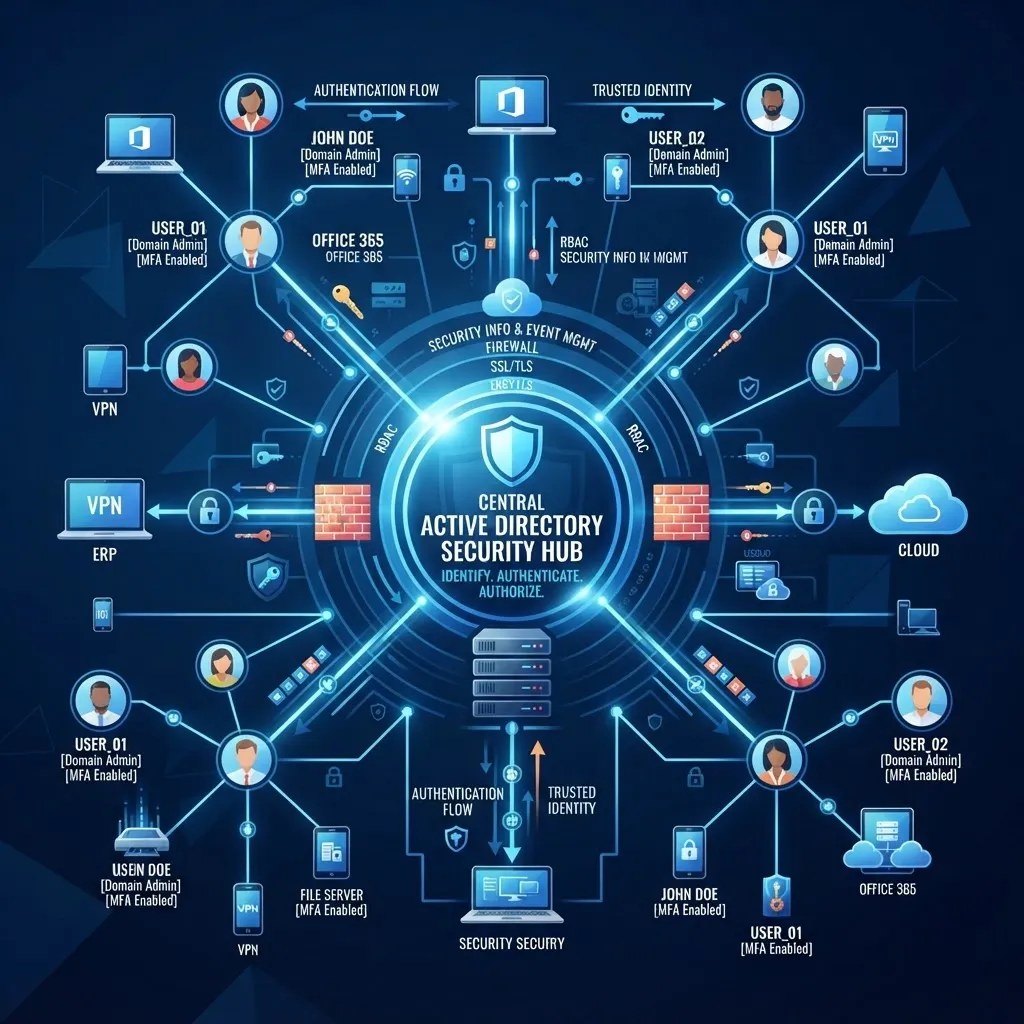
Active Directory Security: A Hardening Guide for UK IT Admins
Active Directory is the keys to your kingdom — and the #1 target for attackers. Here are the 12 security controls every UK business should implement to protect their identity infrastructure.

IT Budget Planning: A Complete Guide for UK SMEs in 2026
How to plan, forecast, and optimise your IT budget for 2026 — with real cost benchmarks for managed support, cloud infrastructure, cybersecurity, and Microsoft 365 licensing for UK small businesses.



Sources & further reading
Independent guidance from UK regulators, standards bodies and technology vendors that underpins the advice on this page.
- National Cyber Security Centre10 Steps to Cyber SecurityThe UK's baseline framework for protecting business systems, people and data.(opens in a new tab)
- National Cyber Security CentreCyber Essentials: overviewThe government-backed certification scheme often required in UK contracts and tenders.(opens in a new tab)
- MicrosoftSecurity threat intelligence and researchVendor threat research and product security guidance.(opens in a new tab)
- Information Commissioner's OfficeUK GDPR guidance and resourcesThe regulator's guidance on handling personal data lawfully in the UK.(opens in a new tab)
Book your free consultation
in 30 seconds.
No obligation. No spam. Just a certified engineer with a clear, proactive roadmap.